
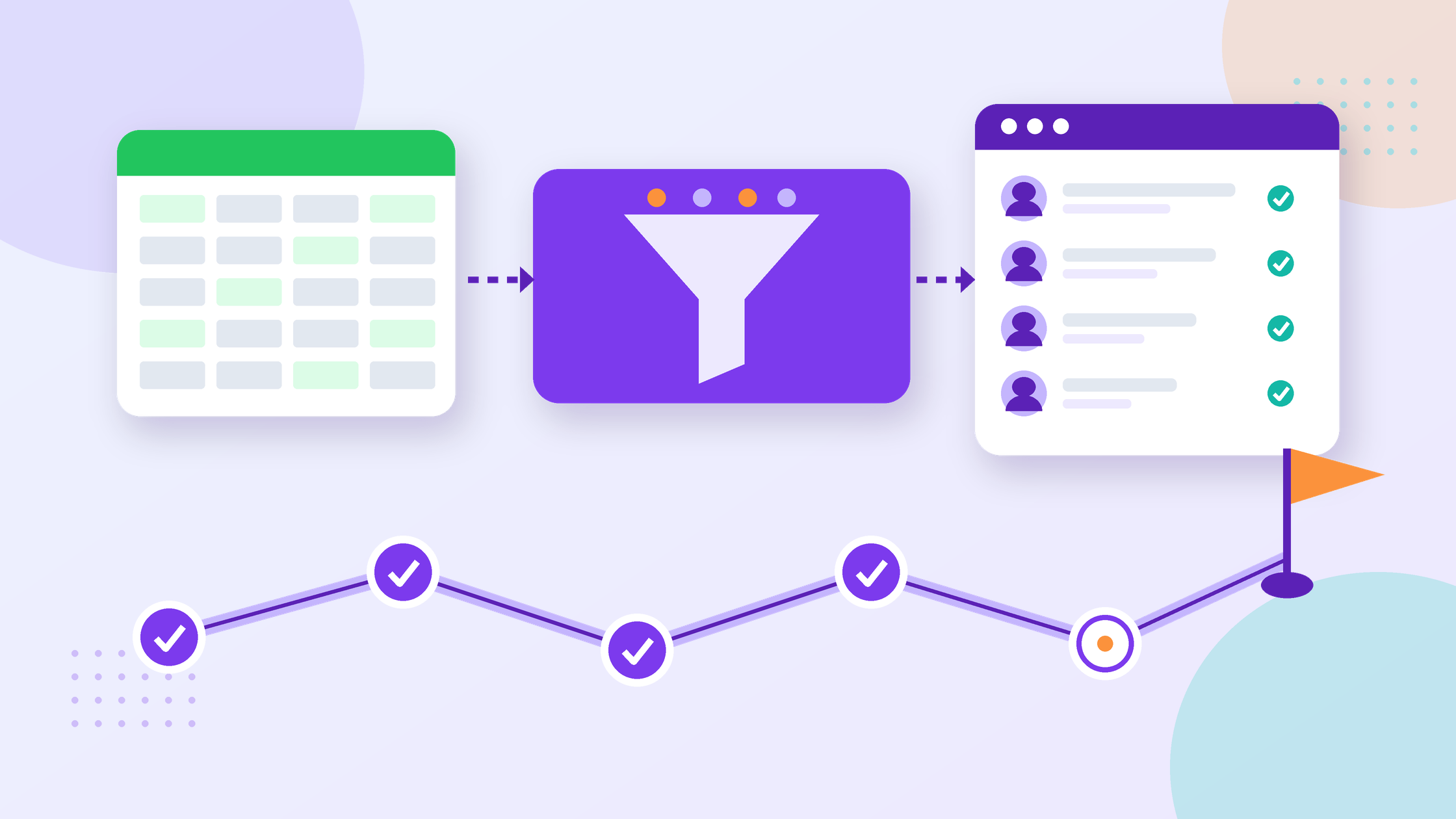
HRMS Implementation Checklist for Indian SMBs: Step by Step
An HRMS implementation goes well when you decide three things before anyone logs in: what data moves, who owns each step, and how you will check the first payroll and attendance cycle. This HRMS implementation checklist is for HR heads, founders and SMB owners in India who have picked (or are about to pick) an HR system and want a clean switch without losing records or upsetting employees.
Table of Contents
Disclosure: we build OXHRM, an HR and attendance platform. The checklist below works for any HRMS. Compliance points link to government sources and are not legal advice; rules vary by state and sector, so confirm your setup with an adviser.
Key Takeaways
- Most HRMS rollouts that go wrong fail on data and ownership, not on software. Clean your employee master and name one owner per module before you start.
- Move the records you are legally required to keep. The Ministry of Labour’s employer handbook says registers such as attendance, wages and overtime can be kept in physical or electronic form and must be preserved for five years.
- Treat the migration as a data-protection job too. The DPDP Rules, 2025 expect reasonable security safeguards such as access control, logs and backups, including when a vendor processes data for you.
- Run at least one parallel cycle (old method and new system side by side) for attendance and payroll inputs before you switch off the old process.
- Roll out to employees in small, clear steps: login, mobile app, leave request, attendance marking. Training beats long manuals.
In this guide
- Before you start: decisions to make first
- A phase-by-phase HRMS implementation plan
- Data migration checklist: what to move and how to check it
- Records and data protection you can’t skip
- Rolling out to employees and managers
- Common HRMS implementation mistakes
- Where OXHRM fits
- FAQ
- Sources
Before you start: decisions to make first
If you are still comparing vendors, start with our HRMS buyer’s checklist for India. Once you have chosen, settle these points in one meeting and write them down:
- Scope for phase one. Pick the modules you will switch on first. For most SMBs that is the employee database, attendance and leave. Add payroll inputs, tasks or time tracking once the basics are stable.
- One owner per module. For example, HR owns the employee master and leave policy, the operations manager owns shifts and attendance rules, and finance owns payroll inputs. One person signs off each step.
- Go-live date and cut-off. Choose a start date that lines up with a pay period or month start, so you never have half a month in each system.
- Policies in writing. The software will enforce your leave types, shift timings, late-mark rules and approval chains exactly as you enter them. If these only live in people’s heads, write them down first.
- Who has admin access. Decide who can see salary, bank and ID data. Keep that list short.
A phase-by-phase HRMS implementation plan
The table below is a planning template, not a promise of how long your rollout will take. A 25-person office with one shift moves faster than a factory with three shifts and several sites. Adjust the order and timing to your size.
| Phase | What happens | Owner | Done when |
|---|---|---|---|
| 1. Prepare | Write policies, list modules for phase one, export data from spreadsheets or the old system | HR lead | Signed-off scope, policies and a raw data export |
| 2. Clean data | Remove duplicates, fix names, joining dates, departments, managers, IDs and contact details | HR lead + department heads | One clean employee master file, checked by each manager for their team |
| 3. Configure | Set up company, locations, departments, roles, leave types, holidays, shifts, attendance rules and approval flows | HR + operations | Settings match the written policies |
| 4. Import and test | Import employees and opening leave balances, test with a small pilot group | HR + vendor support | Pilot group can log in, mark attendance and apply for leave without help |
| 5. Parallel run | Run the old method and the new system side by side for one attendance and payroll-input cycle | HR + finance | Both give the same totals, or every difference is explained |
| 6. Go live | Switch everyone over, retire the old process, archive old records | HR lead | Old sheets are read-only and archived; everyone uses the new system |
| 7. Review | Collect feedback, fix rules, then plan phase two modules | HR lead | Short list of fixes closed and next modules agreed |
Data migration checklist: what to move and how to check it
Data is where most of the effort goes. Move what you need to run HR and to meet your record-keeping duties, and leave clutter behind. If you are moving off Excel or Google Sheets, our post on HRMS vs spreadsheets explains which sheets usually cause trouble.
| Data | Move it? | How to check it |
|---|---|---|
| Employee master (name, employee ID, joining date, department, designation, manager, location, contact) | Yes, first | Headcount matches your last payroll; every employee has exactly one manager and one location |
| Statutory and bank details (PAN, UAN, ESIC number where applicable, bank account) | Yes, with restricted access | Spot-check a sample against source documents; limit who can view them |
| Salary structure and current pay inputs | Yes, if you use payroll features | Total monthly gross matches your last payroll register |
| Opening leave balances | Yes | Each employee confirms their balance in the first week; fix disputes before the first month closes |
| Holiday list and shift rosters | Yes, current year | Location heads confirm their own lists |
| Documents (offer letters, ID proofs, contracts) | Yes, current employees | Files open correctly and sit against the right employee |
| Past attendance and wage records | Archive at least; import if you want reports | Archive is complete, read-only and retrievable for the period your rules require |
| Ex-employee records | Archive, don’t clutter the live system | Kept only as long as a law or genuine need requires, then deleted |
Two habits save a lot of rework. First, do the import in two passes: a small test file of five to ten employees, then the full file. Second, keep the cleaned file and the import date in a safe folder so you can show what was moved and when.
Records and data protection you can’t skip
An HRMS changes where your records live, not whether you must keep them. Two sets of rules matter most during a switch.
Labour Code registers
The Labour Codes took effect on 21 November 2025, as the Ministry of Labour’s PIB release announced. The Ministry’s compliance handbook for employers lists the registers employers must keep under the Code on Wages, including an attendance register cum muster roll, a wage register, an overtime register and a register of fines and deductions. It says these can be kept in physical or electronic form, must be kept updated and must be preserved for five years, and that wage slips must be issued to employees on or before payment of wages. The same handbook notes the number of registers employers must maintain has come down from 84 to 8 under the Codes.
For your migration, that means: archive your old attendance and wage records safely, make sure the new system can export the registers you need, and confirm the exact formats and any state rules with your adviser.
DPDP Rules and employee data
Moving employee data to a new system is a processing activity under the Digital Personal Data Protection framework. Rule 6 of the DPDP Rules, 2025 says a data fiduciary must take reasonable security safeguards, including when a data processor (such as a software vendor) handles data on its behalf. The safeguards it lists include encryption, masking or similar measures, access control, logs and monitoring, measures such as backups for continued processing, keeping logs for one year unless another law requires otherwise, and security terms in the contract with the processor.
The PIB backgrounder on the DPDP Rules (17 November 2025) explains that the Rules give an eighteen-month phased compliance period, and that the highest penalty, up to ₹250 crore, applies to failing to maintain reasonable security safeguards. In practice, during your HRMS switch:
- Share export files only through secure channels, never on group chats or personal email.
- Delete working copies of spreadsheets once the import is checked, and keep one secured archive.
- Ask your vendor in writing about access control, logs, backups and data deletion, and put security terms in the contract.
- Give admin access by role, and remove it for anyone who doesn’t need it after go-live.
For the wider picture, read our DPDP Act checklist for HR.
Rolling out to employees and managers
Employees judge a new HR system in the first week. Keep the rollout simple:
- Announce it with a reason. One short message: what is changing, from which date, and what employees get (for example, checking leave balance or payslips themselves).
- Start with a pilot team. Pick one team with a helpful manager. Fix their questions before the rest of the company joins.
- Train by task, not by menu. Show four things: log in, install the mobile app, mark attendance, apply for leave. Managers also learn how to approve.
- Name a go-to person. One person in HR answers questions in the first month, with a simple way to raise issues.
- Close the old route. After the parallel run, stop accepting leave requests on paper or chat. Two systems running forever is the most common reason a rollout stalls.
Common HRMS implementation mistakes
| Mistake | What it causes | How to avoid it |
|---|---|---|
| Importing messy spreadsheets as they are | Duplicate employees, wrong managers, broken approval flows | Clean and get managers to check the master file first |
| Switching on every module at once | Confused employees and too many open issues | Start with employee data, attendance and leave; add more later |
| Skipping the parallel run | Payroll input errors found only after salaries are paid | Compare one full cycle side by side |
| Unclear leave and shift rules | The system enforces rules nobody agreed to | Write and sign off policies before configuring |
| Too many admins | Salary and ID data visible to people who don’t need it | Role-based access and a short admin list |
| Deleting old records too early | Gaps when you need past attendance or wage records | Archive old registers for the period your rules require |
Where OXHRM fits
OXHRM covers the modules most SMBs switch on first: Core HR (employee database, documents, onboarding and offboarding, self-service and role-based access) and Attendance (geo-fenced and mobile selfie attendance, biometric options, shifts, overtime and leave). As listed on oxhrm.com/pricing on 18 October 2026, the Startup plan is free for up to 20 employees and the Growth plan is ₹1,999 per month for up to 40 users, then ₹49 for each additional user, with add-ons priced separately. Prices can change, so check the page before you decide.
A practical way to use the checklist above: run phases 1 to 4 with a pilot team on the free plan, then decide whether to move everyone over.
Planning your HRMS switch? Try OXHRM with your pilot team first.
Start free for up to 20 employees | See plans and pricing | Questions? Write to support@oxhrm.com
FAQ
How long does an HRMS implementation take for a small company?
It depends on your headcount, number of locations and shifts, and how clean your data is. A single-office team with tidy records can be ready much sooner than a multi-site business with rotating shifts. Plan around your pay cycle: prepare and clean data first, test with a pilot, run one parallel cycle, then go live at a month start.
What data should we migrate to a new HRMS?
Move the current employee master, statutory and bank details (with restricted access), salary inputs if you use payroll features, opening leave balances, holidays, shifts and current employee documents. Archive past attendance and wage records instead of cluttering the live system, and keep them retrievable for the period your rules require.
Do we need to keep our old attendance and wage registers after switching?
Yes. The Ministry of Labour’s employer handbook says registers under the Code on Wages, such as attendance, wages and overtime, can be physical or electronic and must be preserved for five years. Switching software doesn’t change that, so archive old records safely and confirm state-specific requirements with your adviser.
What is a parallel run and do we really need one?
A parallel run means using your old method and the new HRMS side by side for one cycle, then comparing totals such as present days, leave taken and overtime. It is the simplest way to catch configuration errors before they affect salaries. Skip it only if you have very few employees and simple rules.
How does the DPDP Act affect an HRMS migration?
Employee data is personal data, and moving it to a vendor’s system is processing. The DPDP Rules, 2025 expect reasonable security safeguards such as access control, logs, backups and security terms in your contract with the vendor. Share files securely, limit admin access and delete working copies once the import is verified.
Should we launch all HRMS modules at once?
Usually not. Start with the employee database, attendance and leave, because they affect everyone daily and feed payroll. Once those run smoothly for a cycle, add modules such as tasks, time tracking or payroll add-ons. Smaller steps mean fewer open issues and faster employee adoption.
Who should own the HRMS implementation?
Name one overall owner, usually the HR lead, plus one owner per area: HR for employee data and leave, operations for shifts and attendance, and finance for payroll inputs. Each owner signs off their part before go-live. Shared ownership with no single decision-maker is a common reason rollouts drag on.
Can we try OXHRM before moving the whole company?
Yes. As listed on oxhrm.com/pricing on 18 October 2026, OXHRM’s Startup plan is free for up to 20 employees, which suits a pilot team. Set up your policies, import the pilot group, run one parallel cycle and then decide whether to roll out to everyone.
Sources
- Ministry of Labour and Employment, Compliance Handbook for Employers Under the Four Labour Codes (Central Government Sphere): labour.gov.in
- PIB, Ministry of Labour and Employment, release on the four Labour Codes taking effect, 21 Nov 2025: pib.gov.in
- Ministry of Electronics and Information Technology, Digital Personal Data Protection Rules, 2025 (Gazette notification), Rule 6: meity.gov.in
- PIB Backgrounder, “DPDP Rules, 2025 Notified”, 17 Nov 2025: pib.gov.in
Checked on 18 October 2026 against the Ministry of Labour’s employer compliance handbook, the PIB Labour Codes release, the DPDP Rules, 2025 (Rule 6), the PIB DPDP Rules backgrounder and oxhrm.com/pricing. Rules can change and vary by state and sector; confirm with a compliance adviser. This article is not legal advice.

Shafeeq Khan is a web developer who creates modern, responsive, and user-friendly websites with clean code and creative design
Latest Posts
Wage Definition Under Labour Codes: The 50% Rule Explained
Since 21 November 2025, India's Labour Codes use one definition of "wages" for statutory calculations such as gratuity and bonus,...


HRMS vs Spreadsheets for Indian SMBs: When to Switch
Most Indian SMBs start HR on Excel or Google Sheets. It works for a while: a headcount sheet, a leave...
DPDP Act for HR: Employee Data Checklist Before May 2027
The DPDP Act for HR is no longer a future topic. India's Digital Personal Data Protection Rules were published in...