
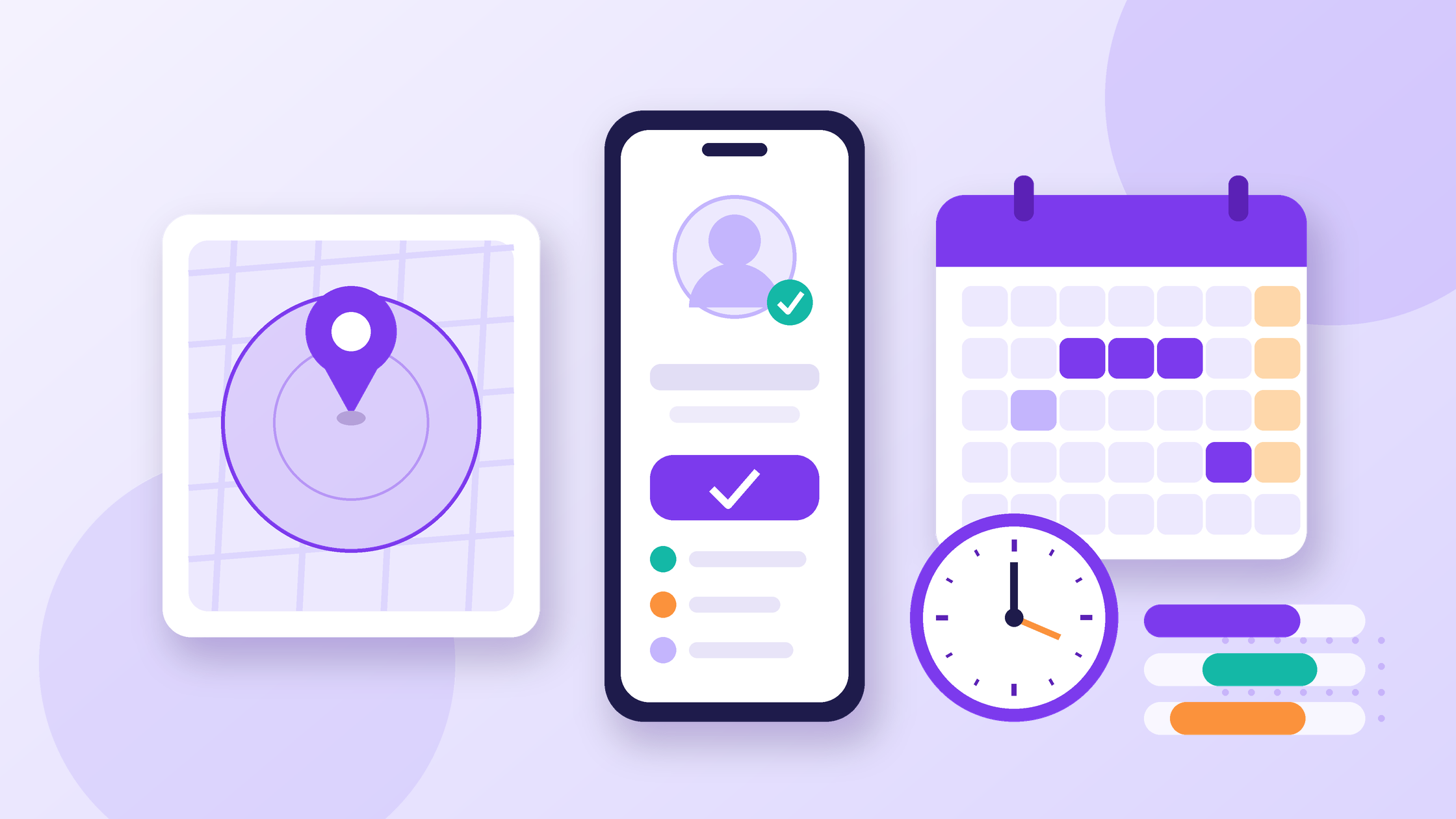
Attendance Software India: What to Check Before You Buy
Attendance software in India has to handle more than a clock-in button. It must cope with field staff, rotating shifts, overtime, half-days and leave balances that carry into payroll. This guide is for HR heads, founders and SMB owners with 10 to 500 employees who want to know what to check before they pick a tool.
Table of Contents
Disclosure: we build OXHRM, so this blog is not neutral. The checklist works for any attendance system, including ours, and we say where OXHRM fits only at the end.
Key Takeaways
- Pick the check-in method for each group of staff (office, field, shop floor), not one method for everyone.
- Test shifts, night shifts and overtime rules with your own rosters before you sign.
- Leave balances, holidays and half-days must flow into payroll without re-typing.
- The Code on Wages sets working-time, overtime and wage-timing rules, so your attendance data needs to be accurate and on time.
- Biometric and location data is personal data. Ask how it is stored, who sees it and how long it is kept.
In this guide
- Why attendance breaks in Indian SMBs
- Check-in methods and what to ask
- Shifts, overtime and rosters
- Leave types and balances
- Multi-site and field teams
- Compliance notes: working time and wage timing
- Attendance software buyer checklist
- How OXHRM maps to this checklist
- FAQ
- Sources
Why attendance breaks in Indian SMBs
Most small teams start with a register, a WhatsApp group or a spreadsheet. That works for one office and one shift, then breaks when you add a second site, a night shift or a field sales team. The usual problems:
- Proxy attendance. A colleague marks someone present, or a time is written in later.
- Missed punches. Someone forgets to check out, and HR has to guess the hours.
- Leave in three places. Requests sit in email, approvals in chat and balances in a sheet.
- Payroll re-typing. Late marks, overtime and loss-of-pay days are copied by hand at month end.
Good software captures the punch at the source, applies your rules and passes clean data to payroll.
Check-in methods: what to ask
An office team, a delivery team and a factory floor need different proof of presence. Match the method to the group.
| Method | Best for | What to ask the vendor |
|---|---|---|
| Web check-in | Office and hybrid staff on laptops | Can we limit it to office IP addresses or set working hours? |
| Mobile app | Hybrid, remote and travelling staff | Does it work on low-end Android phones and weak networks? |
| GPS with geo-fence | Field sales, site staff, multi-outlet retail | Can we set a radius per site? What happens when someone checks in outside it? |
| Selfie verification | Field teams where proxy punching is a risk | Is the photo checked automatically or only stored for review? |
| Biometric device | Factories, warehouses, shop floors | Which fingerprint, face or RFID devices are supported? How do punches sync if the internet drops? |
Trial each method with real employees. What works in a demo can fail on a phone with location off or in a basement with no signal.
Shifts, overtime and rosters
If everyone works 10 to 7, any tool will do. Most growing teams have a night shift, a weekend rota or a 6-day week somewhere. Check that the software can:
- Create several shifts and rotate people between them on a schedule.
- Handle shifts that cross midnight without splitting the day wrongly.
- Apply grace periods, late marks and half-day rules that match your written policy.
- Calculate overtime from your rules and send it for approval before payroll.
Bring your hardest roster to the demo. If the vendor cannot set it up live, expect workarounds later.
Leave types and balances
Your tool should handle every leave type in your policy, such as earned, casual, sick and maternity leave, plus restricted holidays and comp-offs.
| Leave feature | Why it matters |
|---|---|
| Accrual rules | Balances build up monthly or yearly without manual updates. |
| Carry-forward and lapse | Year-end balances follow your policy, not a spreadsheet formula. |
| Half-day and short leave | Common in Indian offices and often the first thing a basic tool misses. |
| Holiday calendars by location | Different states and sites have different holidays. |
| Approval workflow | Requests go to the right manager, with a backup approver when they are away. |
| Payroll link | Unpaid leave and loss-of-pay days reach payroll automatically. |
Ask how existing balances are imported on day one. A clean opening balance saves weeks of disputes. Our HRMS buyer’s checklist for India covers migration questions.
Multi-site and field teams
With more than one location, owners want to see who is present at each site this morning without phoning managers.
- Per-site rules. Each branch, outlet or project site should have its own geo-fence, shifts and holiday list.
- Live dashboards. A present, absent and late view by site, with exports to Excel or PDF.
- Alerts. Notifications for late arrivals, early exits and absences, so managers act the same day.
- Field visits. Check whether location is recorded only at check-in or during the day, and write a clear policy either way.
Want to test this checklist on a real tool? Try OXHRM free for up to 20 employees and set up one site, one shift and your leave policy in an afternoon.
Compliance notes: working time and wage timing
Attendance records feed wages, so labour rules matter. According to PIB (21 November 2025), the four Labour Codes, including the Code on Wages, 2019 and the Occupational Safety, Health and Working Conditions Code, 2020, took effect from 21 November 2025. PIB also says that during the transition, relevant provisions of the existing labour Acts and their rules continue in force.
The PIB factsheet on the Code on Wages (23 November 2025) describes points that touch attendance data directly:
- Working hours: the period of work shall not exceed 48 hours a week, and not more than 12 hours in a day where flexibility is provided, including rest intervals.
- Overtime: overtime wages at not less than twice the normal rate for work beyond regular hours.
- Wage timing: monthly wages within seven days of the next month, weekly before the weekly holiday, daily at shift end, and within two working days on resignation or termination.
- Wage slips: employers provide wage slips, electronically or on paper, on or before payment.
In practice, attendance and overtime must be closed within days of month end. Software that locks the month and logs every correction helps.
Biometric punches, selfies and GPS points are personal data. The PIB overview of the DPDP Rules, 2025 lists principles such as purpose limitation, data minimisation, storage limitation and security safeguards. Collect only what your policy needs and tell employees why.
This section is general information, not legal advice. Rules vary by state, sector and establishment size, so confirm your obligations with a compliance adviser.
Attendance software India buyer checklist
Score each vendor on the same questions.
| Area | Must-have question |
|---|---|
| Check-in | Which methods can we mix by team: web, mobile, GPS, selfie, biometric? |
| Offline | What happens to punches when the phone or device is offline? |
| Shifts | Can you set up our night shift and weekly rotation during the demo? |
| Overtime | Is overtime calculated from our rules and approved before payroll? |
| Leave | Do accruals, carry-forward, half-days and location holidays work out of the box? |
| Payroll link | Does attendance flow into payroll, or do we export and re-import? |
| Reports | Can managers see live attendance by site and export to Excel or PDF? |
| Audit trail | Is every manual correction logged with who, when and why? |
| Privacy | Where is biometric and location data stored, and can we set retention? |
| Cost | Is biometric or time tracking a paid add-on per seat? See our HRMS pricing guide. |
How OXHRM maps to this checklist
Here is where our own product fits, based on what is listed on the OXHRM Attendance page. The module covers web, mobile and biometric clock-in, GPS geo-fencing, mobile check-in with selfie verification, multiple shifts and rotations, overtime calculation with approvals, and leave with automatic balances and approval workflows. It also lists live reports with Excel/PDF export and late, early-exit and absence alerts. Employee records and self-service sit in Core HR.
On cost, as listed on oxhrm.com/pricing on 14 October 2026: the Startup plan is free for up to 20 users and includes geo-fenced attendance and basic leave management. Growth is ₹1,999 a month for up to 40 users, then ₹49 per extra user, and adds shift scheduling and rosters. Biometric Attendance is a per-seat add-on, shown at ₹12 per seat per month (sale price; regular ₹20). Prices are before 18% GST and can change.
If you run a plant or a guarding business, the factories and security guard companies pages show how the same modules are set up for those teams.
FAQ
Is GPS attendance accurate enough for field staff?
GPS works well for check-in within a site radius, but accuracy drops indoors and on cheap phones. Set a sensible geo-fence radius, allow a manager override with a reason, and combine GPS with selfie verification where proxy punching is a risk. Test with real staff in real locations before rolling out.
Do we need consent to collect biometric attendance data?
Biometric and location data is personal data under the DPDP framework, which PIB describes as built on consent, transparency, purpose limitation and security safeguards. Tell employees what you collect and why, limit access and set a retention period. Take advice from a compliance professional on the right legal basis for your company.
How should attendance software handle night shifts?
The tool should treat a shift that crosses midnight as one shift, not two half-days. Check that late marks, overtime and weekly limits are calculated on the shift, not the calendar date. Ask the vendor to set up your actual night roster during the demo and run a sample month report.
Can attendance software calculate overtime automatically?
Most modern tools calculate overtime from rules you set, such as hours beyond the shift or the weekly limit. The PIB Code on Wages factsheet says overtime is paid at not less than twice the normal wage rate. Make sure overtime goes through manager approval and reaches payroll without manual re-entry.
What leave types should attendance software support?
At minimum, the leave types in your written policy: commonly earned, casual and sick leave, plus maternity leave, comp-offs, half-days and holidays by location. The tool should handle accruals, carry-forward and lapse rules automatically, and show employees their live balance in a self-service app so HR stops answering balance questions.
How long does it take to switch from a spreadsheet?
For a small team with one site, setup can take a day or two: import employees, set shifts and holidays, load opening leave balances and install the app. Multi-site setups with biometric devices take longer. Run the new system alongside the old one for one pay cycle before switching fully.
Fix attendance and leave in one place with OXHRM.
Start free for up to 20 employees, see plans and pricing for larger teams, or write to support@oxhrm.com with your sites, shifts and headcount.
Sources
- PIB, Ministry of Labour and Employment, “Government Makes the Four Labour Codes effective to Simplify and Streamline Labour Laws”, 21 Nov 2025: pib.gov.in
- PIB Factsheet, “Code on Wages, 2019 Safeguards Workers, Induces Growth, Empowers Women & Enhances Employment”, 23 Nov 2025: pib.gov.in
- PIB, MeitY, “A Citizen-Centric Framework for Privacy Protection and Responsible Data Use” (DPDP Rules, 2025), 17 Nov 2025: pib.gov.in
- OXHRM product and pricing pages: Attendance, Core HR, Pricing
Checked on 14 October 2026. Features and prices change; confirm on the vendor’s own page before you buy. This article is not legal advice.

Shafeeq Khan is a web developer who creates modern, responsive, and user-friendly websites with clean code and creative design
Latest Posts
HRMS Implementation Checklist for Indian SMBs: Step by Step
An HRMS implementation goes well when you decide three things before anyone logs in: what data moves, who owns each...


Wage Definition Under Labour Codes: The 50% Rule Explained
Since 21 November 2025, India's Labour Codes use one definition of "wages" for statutory calculations such as gratuity and bonus,...
HRMS vs Spreadsheets for Indian SMBs: When to Switch
Most Indian SMBs start HR on Excel or Google Sheets. It works for a while: a headcount sheet, a leave...



3 Responses